
The Activity tab under Bills & Income displays the bills and income you've recently sent or received. To see an item here, you must add it as a scheduled transaction. See Create new scheduled transactions for steps.
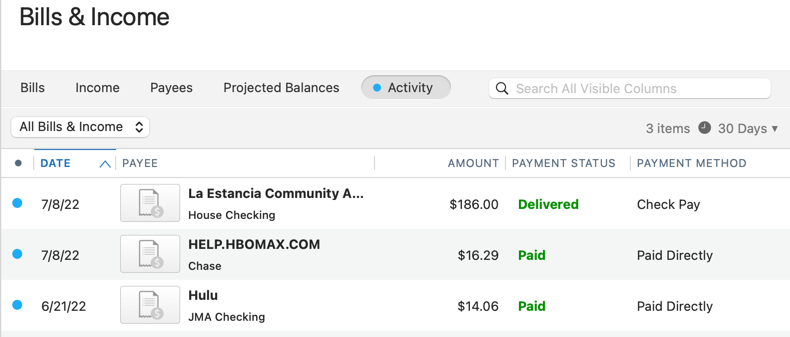
Filter and date range
Use the dropdown above the list to limit the view to a specific type:
-
All Bills & Income
-
Bills
-
Income
-
Bill Pay Payments
-
Paid Directly
Use the date control to set the range of activity shown. The default range is 30 days, and you can choose a shorter or longer period.
Work with a transaction
Select a transaction in the list to reveal two actions in the toolbar.
Show in Register opens the account register for that transaction and highlights it. Use this to review or edit details you can't change from the Activity view, such as the category or split.
Delete Transaction permanently removes the transaction from your register, not just from the Activity view. Quicken asks you to confirm before deleting.
Note: Deleting a transaction here is the same as deleting it from the register. The underlying scheduled transaction isn't affected. If the deleted transaction was the most recent instance of a recurring bill, Quicken shows the next upcoming instance in Bills.